Levels
Levels define the progression system in the training platform. Agents advance through levels by completing all training content within each level.
Understanding Levels
The platform uses a sequential level system (e.g., Nakato → Nawimba → Nabanga → Tam Tam). Each level:
- Contains one or more Trainings
- Can require a previous level to be completed first (prerequisite)
- Has an optional reward email sent upon completion
- Can be activated or deactivated
Creating a Level
- Navigate to Training → Levels in the sidebar
- Click Create New
- Fill in the required fields:
| Field | Description | Required |
|---|---|---|
| Name | Level name (e.g., “Nakato Level”) — localized EN/FR | Yes |
| Description | Brief description of the level — localized EN/FR | No |
| Image | Level badge or image | No |
| Required Level | Previous level that must be completed first | No |
| Is Active | Whether this level is visible to agents | Yes (default: on) |
| Reward Email Template | Mailchimp template slugs for completion emails (FR and EN) | No |
- Click Save
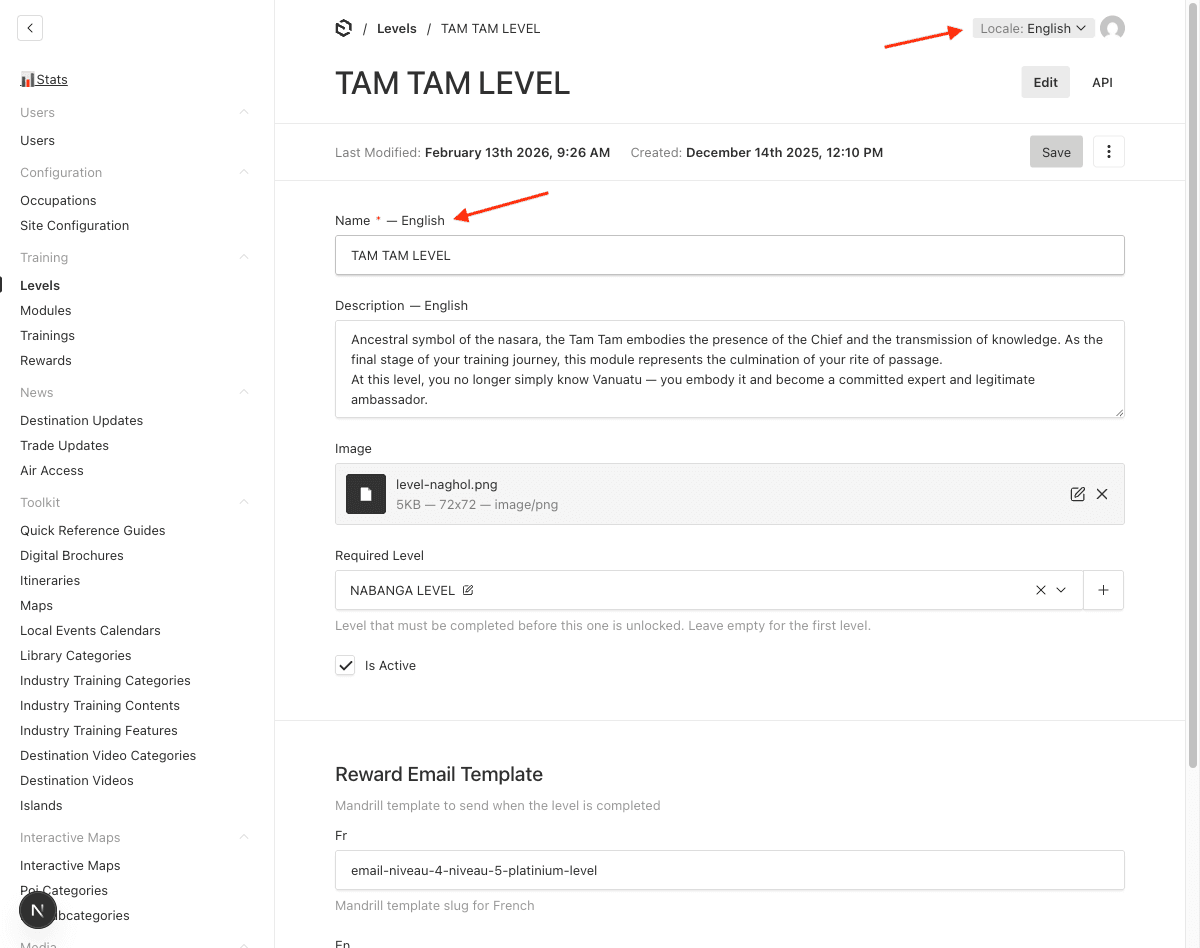
Level Progression
Levels are linked through the Required Level field. This creates a chain:
Level 1 (no prerequisite) → Level 2 (requires Level 1) → Level 3 (requires Level 2)An agent cannot start a level until they have completed its prerequisite.
Reward Emails
When an agent completes all training content in a level:
- A Level Completion record is automatically created
- If configured, a reward email is sent via Mailchimp using the template slug defined on the level
- The email is sent in the agent’s preferred language (EN or FR)
- Duplicate emails are prevented — each agent receives the reward email only once per level
Last updated on