Accessing the Admin Panel
The admin panel is powered by PayloadCMS and is accessible at:
https://www.welkamvanuatu.travel/admin
Logging In
A default access account should have been created for you. If you don’t have your credentials, contact an existing Admin to create a Manager or Admin account for you.
- Navigate to the admin URL
- Enter your email address and password
- Click Login

Only users with Admin or Manager roles can access the admin panel. Agents do not have admin access.
Navigation
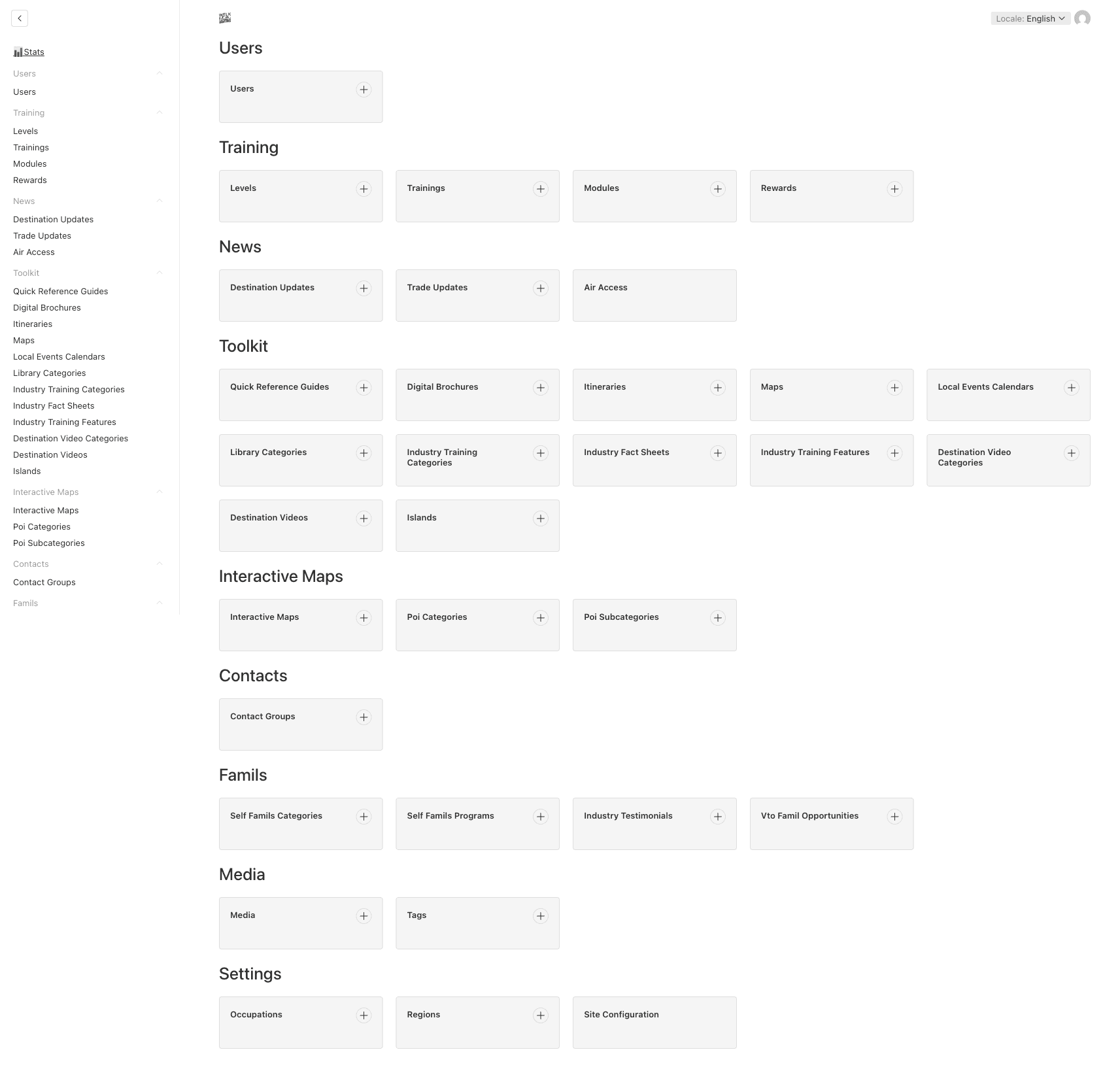
Once logged in, you will see the admin dashboard with a sidebar. Here is an overview of the main sections:
Detailed Sections
Each sidebar group contains the following sections:
| Sidebar Group | Sections | Description |
|---|---|---|
| Stats | Progress Statistics | Dashboard with agent completion rates and training progress |
| Training | Levels, Trainings, Modules, Rewards | Training content: levels of progression, course modules, and rewards |
| Users | Users | Agent and admin account management |
| News | Destination Updates, Trade Updates, Air Access | News articles published on the platform |
| Toolkit | Quick Reference Guides, Digital Brochures, Itineraries, Maps, Local Events Calendars, Library Categories, Industry Training Categories, Industry Fact Sheets, Industry Training Features, Destination Video Categories, Destination Videos, Islands | Sales and marketing resources, maps, fact sheets, and videos for agents |
| Interactive Maps | Interactive Maps, POI Categories, POI Subcategories | Map points of interest and their categorization |
| Contacts | Contact Groups | Contact directory for agents |
| Famils | Self-Famils Categories, Self-Famils Programs, Industry Testimonials, VTO Famil Opportunities | Familiarization trip programs and testimonials |
| Media | Media Library, Tags | Uploaded files and their tags |
| Settings | Occupations, Regions, Site Configuration | Global platform settings |
Next Steps
- Navigating Lists — Learn how to search, filter, sort, and customize columns in any section
- Roles & Permissions — Understand what each role can do
- Language Management — How to manage bilingual content (English & French)
Last updated on